A discount game for your Shopify store
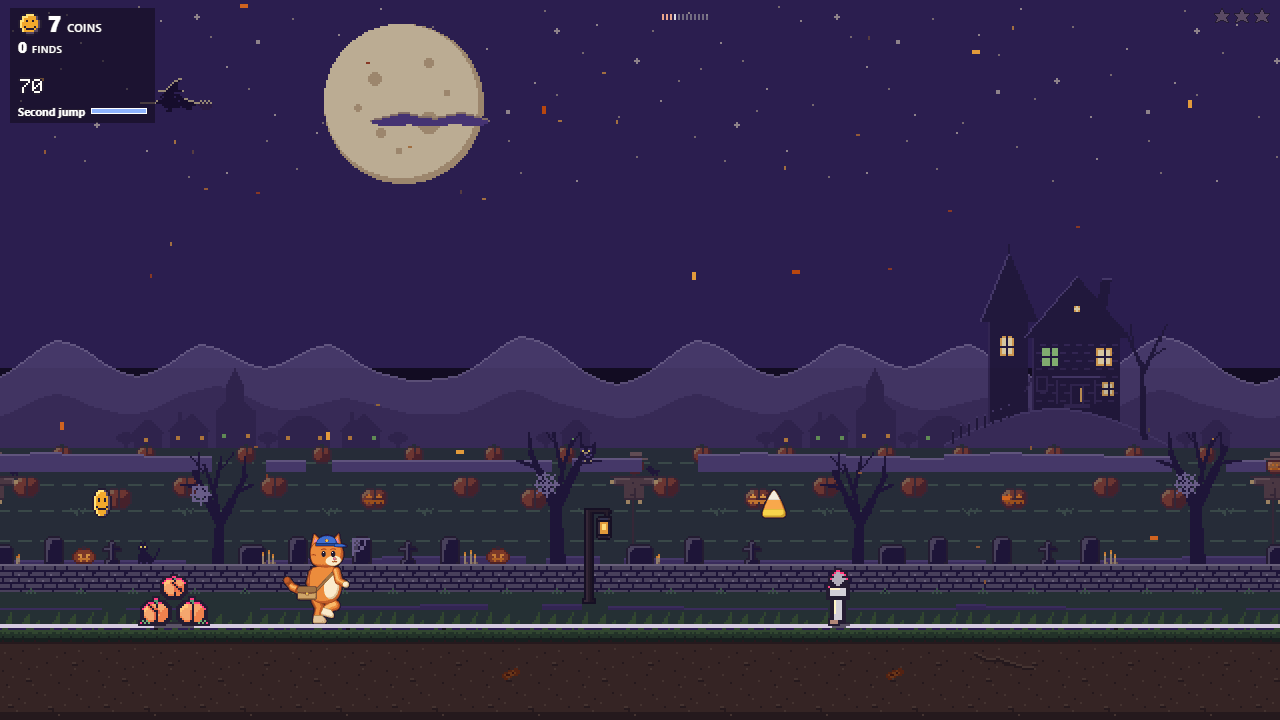
A discount game is a game in a store that pays out in discount codes. In Perkcade a shopper plays a run of about a minute, collects coins and trades them for codes you define. A better run earns more coins.
The codes are ordinary Shopify discounts, and a monthly budget you set caps what they can cost.
Free costs 0 USD. Season costs 29 USD and Studio 79 USD a month, with a 14‑day trial, billed by Shopify.
Game controls
On a computer: Space or W to jump, S to roll, E for the skill, A and D to steer the rocket.
On a phone: tap to jump, swipe down to roll, swipe right for the skill, or turn on the joystick and its three buttons.
How the discount game works
1. Play
A shopper opens the game in your store and runs the day’s route for about a minute. Everyone gets the same route that day, and the server replays each run before its coins count.
2. Redeem
Coins buy the tiers you set, by default 1000 coins for 5 percent off. Each code works once, for one customer, for 14 days, and shows in your Shopify discounts as Perkcade reward.
3. Control
You set the tiers, their minimum order and the monthly budget on the Rewards page. Runs and coins per shopper are capped every day, and a run past the limit counts as practice.
How do you cap what the codes cost?
On Season and Studio you set a monthly budget of 0.25 to 3 percent of the last 30 days of revenue. Perkcade keeps the value of active rewards under half of it, so a month’s codes cannot cost more. On Free the limit is 50 rewards a month.
- When the budget is used up, rewards pause until the next month and shoppers keep collecting coins
- Every tier has a minimum order and a cap on its amount, up to 5 percent off on Free, 15 on Season and 20 on Studio
- The Redemptions open switch on the Rewards page pauses every reward at any time

The discount game in figures
- Run
- About a minute, the same route for everyone in the store that day
- Default tier
- 1000 coins for 5 percent off
- Coins from play
- Up to 250 a day on Free, 400 on Season and 500 on Studio
- Code
- One use, one customer, 14 days, listed in your Shopify discounts
- Budget
- 0.25 to 3 percent of revenue a month, or 50 rewards a month on Free
- Shopper data
- No names, email addresses or phone numbers
Questions about discount games on Shopify
What is a discount game for Shopify?
A game in a Shopify store that pays out in discount codes. In Perkcade, shoppers collect coins in a run of about a minute and trade them for codes you define, within a monthly budget you set.
Do shoppers have to give an email address to play?
No. Perkcade asks for no email address and stores no names, email addresses or phone numbers. Anyone can play. Redeeming needs the shopper to log in to your store, unless you allow guest codes on Season or Studio.
How big are the discounts?
You decide. By default 1000 coins buy 5 percent off. Every tier has a minimum order and a cap on its amount, up to 5 percent off on Free, 15 on Season and 20 on Studio.
Can a shopper play all day to collect more codes?
No. Runs and coins per shopper are capped every day: up to 250 coins a day from play on Free, 400 on Season and 500 on Studio. A run over the daily limit counts as practice, without coins.
Where do the codes show up?
In your Shopify discounts, titled Perkcade reward. Each code works once, for one customer, for 14 days. Perkcade charges no fee per order or per code.
How much does Perkcade cost?
Free costs 0 USD. Season costs 29 USD a month or 290 USD a year, Studio 79 USD a month or 790 USD a year, both with a 14‑day trial. Shopify bills the plan with your store’s other charges.
Play the demo, then install the game
Play the demo with sample rewards. In your own store, switch on the app embed, check the reward tiers and play a test run.