A Christmas game for your Shopify store
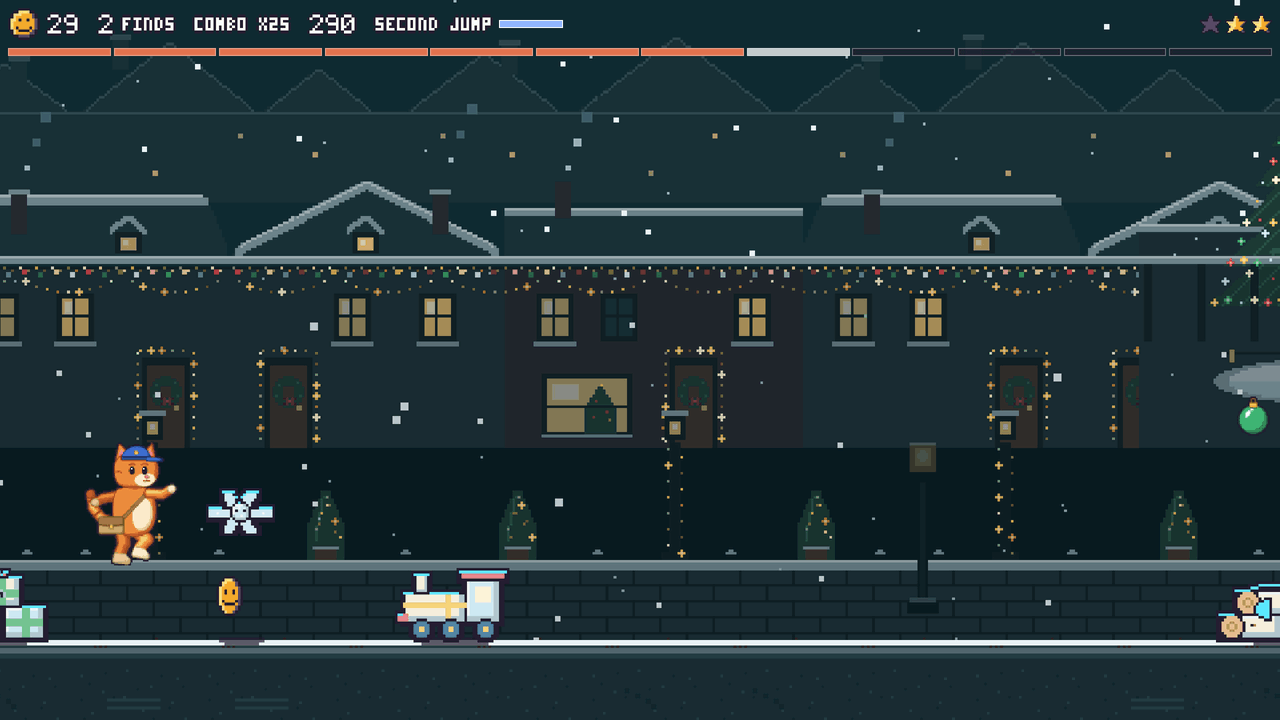
Perkcade runs its Christmas map, Christmas Lane, from 1 to 26 December. Shoppers play a run of about a minute, dodge an elf’s snowballs and jump a rolling bauble. They trade the coins they collect for discount codes you set.
A monthly budget caps what the codes can cost, and on 27 December the game moves on to Frostpeak, the New Year map, by itself.
Free costs 0 USD. Season costs 29 USD and Studio 79 USD a month, with a 14‑day trial, billed by Shopify.
Game controls
On a computer: Space or W to jump, S to roll, E for the skill, A and D to steer the rocket.
On a phone: tap to jump, swipe down to roll, swipe right for the skill, or turn on the joystick and its three buttons.
How the Christmas game works
1. Set up
Install Perkcade, switch on the app embed and check the reward tiers before December. On Season and Studio you can switch Christmas Lane on by hand in the app from 24 November.
2. Play
Stores that leave the map on automatic play Christmas Lane from 1 to 26 December. An elf on the eave throws snowballs where a mark glows on the ground, a giant bauble rolls at the runner, and the Gingerbread Giant waits at the end of the route.
3. Redeem
Coins buy the tiers you set, by default 1000 coins for 5 percent off. Each code works once, for one customer, for 14 days, and shows in your Shopify discounts as Perkcade reward.
How does the budget cap work for Christmas discounts?
The budget is set per month, so December’s discounts stop at the figure you chose. On Season and Studio it is 0.25 to 3 percent of the last 30 days of revenue, and Perkcade keeps active rewards under half of it. Free allows 50 rewards a month.
- When the budget is used up, rewards pause until the next month and shoppers keep collecting coins
- Every tier has a minimum order and a cap on its amount, up to 5 percent off on Free, 15 on Season and 20 on Studio
- The Redemptions open switch on the Rewards page pauses every reward at any time

The Christmas map
- Map
- Christmas Lane
- Dates
- 1 to 26 December, every year
- Earlier
- By hand on Season and Studio, from 24 November
- Boss
- Gingerbread Giant
- Hazards
- Snowballs from an elf on the eave and a giant rolling bauble
- After it
- Frostpeak, the New Year map, from 27 December
Questions about the Christmas game
When does the Christmas map run?
Christmas Lane runs from 1 to 26 December every year on every plan. On Season and Studio you can switch it on by hand from 24 November. On 27 December every store moves to Frostpeak, the New Year map, which runs until 6 January.
Can I add the game before December?
Yes. Install Perkcade and switch on the app embed now. A store on the automatic map plays the current season’s map and moves to Christmas Lane by itself. The demo on this page already plays Christmas Lane.
How much can the Christmas discounts cost?
No more than your monthly budget: 0.25 to 3 percent of the last 30 days of revenue on Season and Studio, or 50 rewards a month on Free. Every tier also has a minimum order and a cap on its amount.
Can a store skip the Christmas map?
Yes. Every plan can pin Shop Street, the all-year map, so a store that does not celebrate Christmas keeps Shop Street.
Do codes redeemed in late December still work in January?
Yes. Each code works once, for one customer, for 14 days, so a code redeemed on 20 December still works on 2 January.
Will the game slow down my store during the holidays?
Up front your storefront loads a 2.3 kB script and a 2.2 kB stylesheet. The game and the day’s map load only when a shopper opens the game or scrolls to its block.
Set up the game before 1 December
Install Perkcade, switch on the app embed and play a test run. The game moves to Christmas Lane on its own.